

RC Radio 4WS Mixing Explained
What Is 4WS Mixing
4WS Mixing (Four-Wheel Steering Mixing) is a transmitter function that controls how the rear steering servo interacts with the front steering input.
Instead of controlling the rear wheels separately, 4WS Mixing links the rear steering to the front steering channel using a programmable ratio and direction. This allows both axles to work together in predictable ways.
At its core, 4WS Mixing defines:
• Direction of rear steering (same or opposite of front)
• Amount of rear steering relative to front (percentage mix)
• Timing/behavior of how the rear reacts to steering input
In simple terms:
• Front wheels steer based on your wheel input
• Rear wheels follow based on the 4WS Mixing setting
Depending on how you set it up, you can create:
• Opposite steering (tight turning)
• Same-direction steering (crab walk)
• Front-only steering (disabled rear)
This is typically done through radio mixing functions using a 3rd or 4th channel.
How Does 4WS Mixing Affect Your Car
4WS Mixing has a huge impact on how your car rotates, tracks and handles tight spaces.
Turning Radius
• Opposite rear steering reduces turning radius dramatically
• Makes the car pivot tighter in corners or technical terrain
This is especially useful in:
• Rock crawling
• Tight indoor tracks
• Technical sections
Stability vs Rotation
• Less rear steer = more stability
• More rear steer = faster rotation
Too much rear steering can make the car feel:
• Loose
• Over-rotated
• Hard to control at speed
Line Control
4WS Mixing allows you to:
• Adjust your line mid-corner
• Position the rear of the car independently
• Navigate obstacles more precisely
High-Speed Behavior
• Opposite rear steer at speed can make the car unstable
• Some drivers reduce or disable 4WS Mixing for high-speed sections
How Do You Change 4WS Mixing
4WS Mixing is adjusted in your radio’s mixing menu.
Typical Setup Methods
Fixed Mixing (Most Common)
• Rear steering is linked to front steering
• Set as a percentage (example: -50%)
Example:
• Front turns right – rear turns left at 50% strength
Switch-Based Modes
Many radios allow you to toggle between:
• Front steer only
• 4WS opposite
• 4WS same direction (crab)
Independent Rear Steering (Advanced)
• Rear steering controlled by a knob or switch
• Mixing may still be applied as a base layer
Basic Setup Steps
1. Assign rear servo to a separate channel (usually CH3 or CH4)
2. Enable steering mix in your radio
3. Set mix direction:
• Negative = opposite steering
• Positive = same direction
4.Adjust mix percentage (start around 25-50%)
5. Fine-tune endpoints and trim
When To Change 4WS Mixing
You should adjust 4WS Mixing based on terrain, speed and driving style.
Increase 4WS Mixing When:
• You need tighter turning
• Driving technical rock sections
• Navigating tight corners
• Car feels sluggish in rotation
Decrease 4WS Mixing When:
• Car feels unstable at speed
• Rear end feels too loose
• Oversteer becomes hard to control
• Driving high-speed or open terrain
Disable or Reduce Rear Steering When:
• Racing on high-grip tracks
• Running straight-line speed setups
• You need predictable, stable handling
What to Check After Changing 4WS Mixing
Whenever you adjust 4WS Mixing, check these related settings:
Steering Endpoints (EPA)
• Ensure rear servo is not overdriving
• Prevents binding or servo damage
Servo Direction
• Make sure rear steering direction matches your intended mix
• Incorrect direction can cause “crab walk” unintentionally
Steering Dual Rate
Too much total steering (front + rear) can overwhelm the car
Steering Speed / Expo
Smooths out aggressive rear steering input
Weight Transfer & Balance
More rear steer changes how weight shifts during turns
Suspension Setup
• Increased rotation may require:
• Less rear toe-in
• Softer rear suspension
• Adjusted Roll Center
Basic 4WS Mixing vs Advanced Settings
Basic 4WS Mixing
• Fixed relationship between front and rear steering
• Simple percentage-based control
• Best for beginners and quick setups
Advanced 4WS Settings
Advanced radios allow much deeper control:
1. Dual-Rate Mixing
Different rear steer amounts at low vs high steering input
2. Speed-Based Mixing
• Less rear steering at high speed
• More at low speed
3. Multi-Mode Steering
Switch between:
• Front only
• Opposite 4WS
• Crab steering
• Independent rear steer
4. Curve-Based Mixing
Rear steering follows a curve instead of a linear response
5. Independent Rear Control
• Full manual control using a knob or dial
• Often used by advanced crawler drivers
Key Difference:
• Basic mixing = consistent behavior
• Advanced settings = adaptive behavior based on input or conditions
FAQ
Q: What does 4WS Mixing actually do?
A: It links the rear steering servo to the front steering input using a programmable ratio and direction.
Q: Should rear wheels turn the same or opposite direction?
A: Opposite direction = tighter turning
Same direction = sideways movement (crab walk)
Q: What is a good starting point for 4WS Mixing?
A: Start around 25-50% opposite steering, then adjust based on control and terrain.
Q: Is 4WS Mixing useful for racing?
A: Usually not. Most race classes don’t allow it and it can reduce stability at speed.
Q: Why does my car “crab walk”?
A: Your rear steering direction is set the same as the front instead of opposite.
Q: Can I turn 4WS on and off while driving?
A: Yes, many radios allow switching between steering modes using a button or toggle.
Q: Do I need a special radio for 4WS Mixing?
A: Yes. You need a radio with at least 3 channels and Mixing capability.
Q: Is independent rear steering better than mixing?
A: Mixing = easier and consistent
Independent = more control but harder to manage
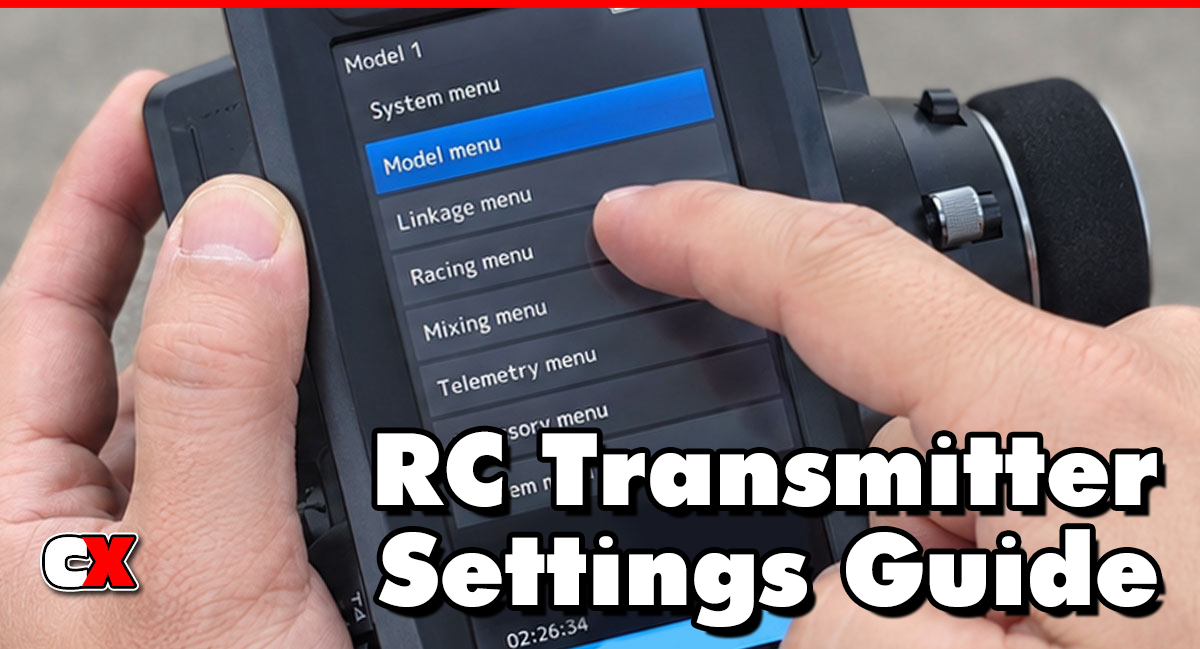
Back to the RC Transmitter Settings Guide.

