
RC Radio Anti-Lock Braking (ABS) Explained
What Is Anti-Lock Braking (ABS)
Anti-Lock Braking (ABS) in RC Radio systems is a braking function that rapidly pulses the brake signal instead of applying constant braking force.
Rather than locking the wheels under heavy braking, Anti-Lock Braking quickly cycles between brake and release. This mimics full-scale ABS systems and helps maintain tire rotation and control.
In most modern transmitters, Anti-Lock Braking is adjustable through:
• Brake frequency (how fast it pulses)
• Brake strength (how much brake is applied during each pulse)
• Delay or trigger point (when ABS activates)
At its core, Anti-Lock Braking is about maintaining control under braking, especially on low-grip surfaces.
How Does Anti-Lock Braking Affect Your Car
Anti-Lock Braking directly changes how your car behaves when you apply brakes. Instead of an aggressive “lock-up,” the braking becomes more controlled and predictable.
Key Effects:
Reduced Wheel Lock-Up
Without Anti-Lock Braking, aggressive braking can lock the tires, especially on loose or dusty tracks. ABS helps keep the tires rotating.
Improved Steering Under Braking
When wheels lock, steering input becomes ineffective. Anti-Lock Braking allows you to steer while braking into corners.
More Stable Corner Entry
ABS smooths out weight transfer, reducing the chance of the rear stepping out unexpectedly.
Slightly Longer Stopping Distance
Because braking is pulsed instead of constant, maximum stopping power is reduced slightly. This is a trade-off for control.
Better Performance on Low Grip Surfaces
Anti-Lock Braking shines on:
• Loose dirt
• Dusty tracks
• Wet or slick conditions
On high-grip surfaces like carpet or high-bite clay, ABS is often less useful or even detrimental.
How Do You Change Anti-Lock Braking
Anti-Lock Braking is adjusted through your RC Radio system.
Typical Steps:
1. Navigate to your radio’s braking or ABS menu
2. Locate Anti-Lock Braking settings (sometimes labeled ABS or Brake Pulse)
3. Adjust the available parameters.
Common Anti-Lock Braking Settings:
ABS Strength
Controls how much brake is applied during each pulse
• Higher = stronger braking pulses
• Lower = softer braking feel
ABS Frequency (Speed)
How fast the brake pulses cycle
• Higher frequency = smoother feel
• Lower frequency = more noticeable pulsing
ABS Delay / Trigger Point
Determines when Anti-Lock Braking activates
• Immediate activation = active as soon as brakes are applied
• Delayed activation = only engages under heavy braking
ABS Duty Cycle (on some radios)
Ratio of brake-vs-release time during pulsing
General Starting Point:
• Moderate strength
• Medium-to-high frequency
• Slight delay before activation
This gives a smooth, controllable braking feel without being overly intrusive.
When To Change Anti-Lock Braking
Anti-Lock Braking is not always needed. It should be adjusted based on track conditions and driving feel.
Use More Anti-Lock Braking When:
• The track is loose or dusty
• You notice rear-end instability under braking
• The car spins entering corners
• You are struggling with over-braking
Use Less or Disable Anti-Lock Braking When:
• The track has high grip (carpet, treated clay)
• You need maximum stopping power
• Braking feels too soft or inconsistent
• You want a more aggressive driving style
Driver Preference Matters
Some drivers prefer a very direct brake feel and will run little to no Anti-Lock Braking, instead relying on car setup. Others rely on it heavily for consistency, especially in changing conditions.
What to Check After Changing Anti-Lock Braking
After adjusting Anti-Lock Braking, always evaluate how it interacts with the rest of your setup.
Key Areas to Check:
Braking Distance
Make sure the car still stops where you expect. Too much ABS can increase stopping distance.
Corner Entry Behavior
Watch for:
• Improved stability (good)
• Push or lack of rotation (too much ABS)
Rear Traction Under Braking
If the rear still slides out, increase ABS slightly. If it feels planted but sluggish, reduce it.
Trigger Feel
Anti-Lock Braking should feel smooth. If it feels “choppy” or inconsistent, adjust frequency.
Interaction with Brake EPA and Exponential
ABS works alongside:
• Brake End Point Adjustment (EPA)
• Throttle/Brake Expo
Make sure these settings complement each other.
Basic Anti-Lock Braking vs Advanced Settings
Understanding the difference between basic and advanced Anti-Lock Braking tuning will help you get more out of your radio.
Basic Anti-Lock Braking
This is a simple setup used by most drivers.
• Single ABS setting or limited controls
• Focus on enabling/disabling or setting strength
• Quick adjustments for changing conditions
Best For:
• Beginners
• Spec racing
• Simple setups
Advanced Anti-Lock Braking
Advanced radios allow fine-tuning of multiple parameters.
• Independent control of strength, frequency, and delay
• Adjustable duty cycles
• Custom brake curves combined with ABS
Benefits:
• More precise control over braking feel
• Ability to tune for specific track sections
• Better consistency in competitive racing
Best For:
• Experienced drivers
• High-level racing
• Tracks with mixed grip conditions
FAQ
Q: What does Anti-Lock Braking do in RC cars?
A: Anti-Lock Braking pulses the brakes to prevent wheel lock-up, improving control and stability during braking.
Q: Should I always use Anti-Lock Braking?
A: No. Anti-Lock Braking is most useful on low-grip surfaces. On high-grip tracks, it may reduce performance.
Q: Does Anti-Lock Braking slow my car down?
A: It can slightly increase stopping distance, but it improves control and consistency.
Q: Is Anti-Lock Braking controlled by the ESC?
A: No. Anti-Lock Braking is a function of the RC Radio system.
Q: What is a good starting Anti-Lock Braking setting?
A: Start with moderate strength, medium-to-high frequency, and slight delay. Adjust based on track conditions.
Q: Why does my brake feel pulsed or inconsistent?
A: This is likely due to Anti-Lock Braking frequency being too low. Increase frequency for a smoother feel.
Q: Can Anti-Lock Braking help prevent spins?
A: Yes. It reduces aggressive weight transfer and rear wheel lock-up, helping keep the car stable.
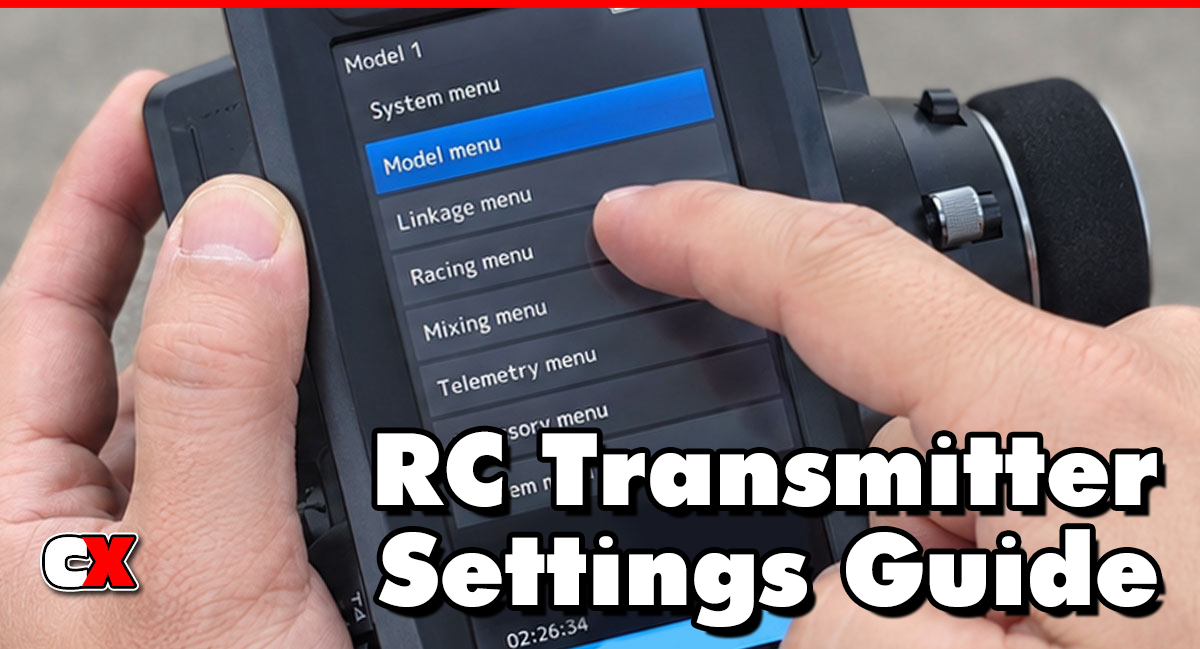
Back to the RC Transmitter Settings Guide.

