

RC Radio Telemetry Explained
What Is Telemetry?
Telemetry is a two-way communication system between your RC vehicle and your RC Radio system. Instead of only sending commands from the transmitter to the receiver, Telemetry allows the receiver and connected sensors to send information back to the transmitter in real time.
Most modern Telemetry systems use sensors installed in the vehicle to monitor specific data points such as:
• Battery voltage
• ESC temperature
• Motor temperature
• Motor RPM
• Vehicle speed
• Receiver voltage
• Signal strength
• GPS position
• Lap timing data
The information is then displayed on the transmitter screen, announced through voice alerts or recorded for later review depending on the capabilities of the radio system.
Popular RC Radio systems with Telemetry support include:
• Futaba T-FHSS SR
• Sanwa FH5/FH5U
• Spektrum Smart Technology
• FlySky AFHDS 3
• FrSky ACCESS
• Radiomaster systems with ELRS Telemetry support
How Does Telemetry Affect Your Car?
Telemetry itself does not directly change the handling of your RC car like suspension tuning or tire setup changes do. Instead, Telemetry affects how accurately you can monitor and tune the vehicle.
It provides valuable information that helps drivers make better decisions.
Improves Battery Management
Voltage Telemetry helps prevent over-discharging LiPo batteries. Drivers can monitor pack voltage during a run and avoid damaging batteries by running them too low.
This is especially important in:
• Racing
• Speed running
• Crawlers using high-drain servos
• Long-duration trail runs
Prevents Overheating
Motor and ESC temperature sensors help identify overheating before permanent damage occurs.
For example:
• A buggy geared too aggressively may overheat after several laps
• A crawler with oversized tires may overwork the ESC
• A speed-run car may exceed safe motor temperatures during long pulls
Telemetry allows drivers to catch these issues early.
Helps Fine-Tune Gear Ratios
RPM and speed Telemetry can reveal whether the gearing is too short or too tall for the track conditions.
Racers often use Telemetry data to:
• Improve acceleration
• Increase top speed
• Reduce motor temperatures
• Improve efficiency
Improves Consistency
Competitive racers use Telemetry to monitor vehicle performance during long stints.
By reviewing temperature, voltage and RPM trends, drivers can identify setup changes that improve consistency throughout a race.
Helps Diagnose Problems
Telemetry can quickly reveal issues such as:
• Weak batteries
• Failing ESC fans
• Overloaded drivetrains
• Radio signal problems
• Drivetrain drag, like excessive gear mesh friction
Instead of guessing, drivers can use real data to locate the problem.
How Do You Change Telemetry?
The exact process depends on the RC Radio system being used, but most Telemetry systems are adjusted through the transmitter menu.
Step 1: Install Compatible Sensors
Telemetry requires compatible hardware. Depending on the system, you may need:
• Telemetry receiver
• Voltage sensor
• Temperature sensor
• RPM sensor
• GPS module
• Smart ESC
Some systems, such as Spektrum Smart Technology, automatically provide battery and ESC information without extra sensors.
Step 2: Bind the Receiver
Bind the Telemetry-compatible receiver to the transmitter according to the manufacturer instructions. Once connected, the transmitter should detect available sensors automatically or allow manual configuration.
Step 3: Access the Telemetry Menu
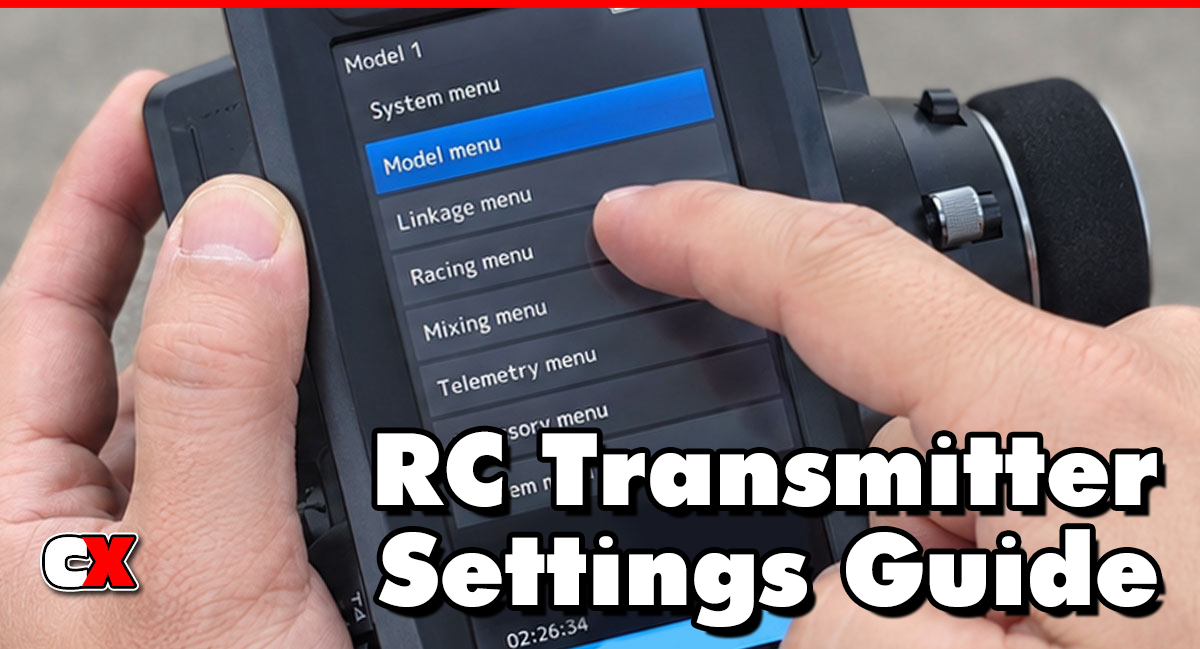
Navigate to the Telemetry section inside the radio menu.
Common adjustments include:
• Sensor calibration
• Voltage alarm thresholds
• Temperature warning limits
• Voice notifications
• Logging frequency
• Screen layout customization
• Units of measurement
• Data recording options
Step 4: Configure Alerts
Many drivers set alerts for:
• Low battery voltage
• High ESC temperature
• High motor temperature
• Weak signal strength
These alerts can prevent expensive damage during a run.
Step 5: Test the System
Before driving:
• Verify all sensors report correctly
• Check voltage accuracy
• Confirm temperature readings
• Ensure alerts function properly
• Confirm signal stability
When To Change Telemetry
Telemetry settings should be adjusted whenever the vehicle setup, driving conditions or performance goals change.
During Racing
Competitive racers frequently adjust Telemetry settings between heats.
Examples include:
• Changing temperature warning limits
• Adjusting voltage alarms for different battery capacities
• Monitoring RPM after gearing changes
After Installing New Electronics
Telemetry should be recalibrated after installing:
• New ESCs
• Different motors
• Different batteries (tedious, but it does help)
• New receivers
• Higher-voltage systems
During Speed Runs
Speed runners often rely heavily on Telemetry.
Drivers may monitor:
• Peak RPM
• Maximum speed
• Motor temperatures
• Voltage sag
This helps prevent failures at extreme speeds.
While Crawling or Trail Driving
Crawlers often use Telemetry to monitor:
• Receiver voltage
• BEC load
• Battery voltage
• Motor temperatures during slow technical driving
When Diagnosing Problems
Telemetry is extremely useful when troubleshooting:
• Random shutdowns
• Motor overheating
• Excessive battery drain
• Signal loss
• Poor runtime
What to Check After Changing Telemetry
After adjusting Telemetry settings, inspect the following areas to ensure the system works correctly.
Sensor Accuracy
Compare Telemetry readings with external tools when possible.
For example:
• Use a temp gun to verify motor temperatures
• Use a voltmeter to confirm battery voltage
Wiring Security
Telemetry sensors often use small plugs and wires that can loosen during driving.
Check for:
• Secure sensor connections
• Damaged wires
• Proper routing away from moving parts
Receiver Compatibility
Some Telemetry features only work with specific receivers.
Verify:
• Firmware compatibility
• Correct communication protocol
• Sensor support
Alarm Settings
Incorrect alarms can become distracting or misleading.
Check:
• Voltage warning thresholds
• Temperature limits
• RPM warnings
• Signal alerts
Data Logging
If your radio supports data logging:
• Verify recordings save correctly
• Confirm timestamps are accurate
• Review logs after driving sessions
Basic Telemetry vs Advanced Settings
Basic Telemetry Settings
Most drivers only need a few basic Telemetry functions.
Common beginner settings include:
• Battery voltage monitoring
• Motor temperature warnings
• ESC temperature warnings
• Receiver signal strength
• Voice alerts
These settings improve reliability and protect electronics.
Advanced Telemetry Settings
Advanced drivers often use Telemetry as a tuning and analysis tool.
Advanced functions may include:
• RPM monitoring
• GPS speed tracking
• Lap timing integration
• Data logging
• Live performance graphs
• Adjustable alert profiles
• Multiple sensor calibration
• Real-time current draw monitoring
Competitive racers and speed runners benefit the most from advanced Telemetry systems.
FAQ
Q: Does Telemetry make an RC car faster?
A: Telemetry itself does not increase speed. However, it helps drivers optimize gearing, battery usage and temperatures, which can improve overall performance.
Q: Do all RC Radios support Telemetry?
A: No. Basic RC Radio systems may not support Telemetry. Advanced transmitters and compatible receivers are required.
Q: What is the most useful Telemetry sensor?
A: Battery voltage and motor temperature sensors are usually the most valuable for most RC drivers.
Q: Can Telemetry prevent motor damage?
A: Yes. Temperature alerts can warn drivers before electronics overheat and fail.
Q: Is Telemetry useful for beginners?
A: Yes. Even simple voltage monitoring helps beginners avoid damaging LiPo batteries.
Q: Does Telemetry create radio lag?
A: Modern systems create very little noticeable delay. High-quality radios are designed to handle Telemetry efficiently.
Q: Can I add Telemetry to an older RC car?
A: Usually yes, as long as the transmitter and receiver support Telemetry and compatible sensors are available.
Q: Is GPS Telemetry accurate?
A: GPS Telemetry is generally accurate for speed measurement but may update slower than onboard RPM sensors.
Back to the RC Transmitter Settings Guide.

