

RC Radio Switch Select Explained
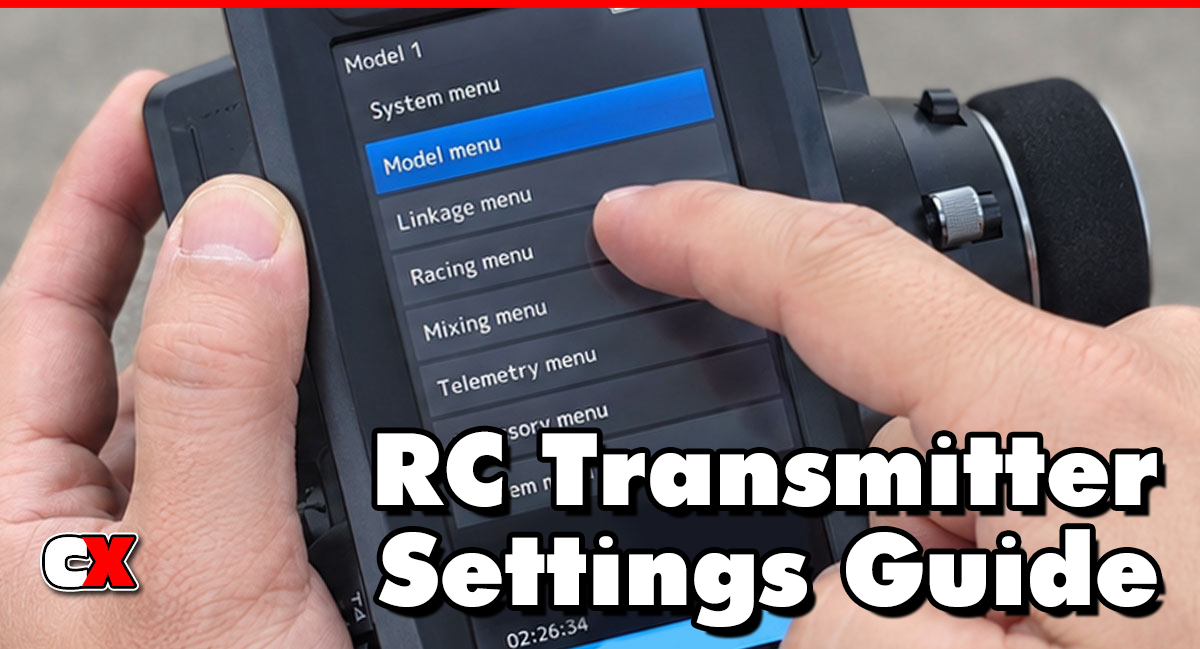
What Is Switch Select?
Switch Select is a function in advanced RC radio systems that allows you to assign specific features, adjustments or functions to physical switches, buttons, dials or trim controls on your transmitter. Instead of navigating menus while driving, Switch Select lets you activate important settings instantly during operation.
Modern transmitters from companies like Futaba, Sanwa, Spektrum and FlySky often include fully customizable Switch Select systems.
For example, you can assign a switch to:
• Gyro gain adjustment
• Dual rates
• Brake bias
• Traction control
• Throttle limiting
• ABS braking
• Lighting systems
• Winch control
• Four-wheel steering
• Drag brake control
• Driving modes
Instead of entering menus between runs, you simply flip a switch or rotate a dial.
In simple terms, Switch Select lets you customize how your radio physically controls your vehicle.
How Does Switch Select Affect Your Car?
Switch Select does not directly change suspension geometry or drivetrain performance, but it dramatically changes how quickly and effectively you can access important tuning functions while driving.
A properly configured Switch Select setup can:
• Improve consistency
• Reduce driver workload
• Allow faster adjustments
• Improve reaction time
• Help adapt to changing track conditions
• Increase vehicle versatility
For example:
On-Road Racing
A driver may assign throttle limiting to a switch during qualifying. If traction becomes low, they can instantly reduce throttle aggressiveness without stopping.
Off-Road Racing
A racer may assign brake strength or traction control to a dial to fine-tune the car during rough track conditions.
RC Drifting
Drift drivers often assign gyro gain to a dial so they can quickly increase or reduce rear stability during transitions.
Crawlers
Crawler drivers commonly assign:
• DIG
• Rear steer
• Winch control
• Lighting systems
• Transmission modes
…to specific switches for quick access during technical obstacles.
Bashers
A basher may use Switch Select to toggle:
• Beginner mode
• High-power mode
• Lighting systems
• Sound systems
…without reconnecting electronics or changing ESC programming.
The biggest advantage is convenience and adaptability.
How Do You Change Switch Select?
The exact process depends on your radio system, but most modern transmitters follow a similar setup procedure.
Basic Switch Select Setup
1. Open the Radio’s Menu
Navigate to:
• Function
• AUX Channel
• Switch Assignment
• Switch Select
• Control Assignment
…depending on your radio brand.
2. Choose the Feature
Select the feature you want to assign, such as:
• Gyro gain
• Dual rate
• Brake mixing
• Four-wheel steering
• Channel output
3. Select the Physical Control
Assign the function to:
• Toggle switch
• Push button
• Rotary dial
• Thumb wheel
• Lever
4. Save the Assignment
Store the configuration inside your model memory.
5. Test the Function
Verify:
• The switch activates correctly
• Endpoints work properly
• No channels conflict
• Servo direction remains correct
When To Change Switch Select
You should adjust Switch Select whenever:
• Your driving style changes
• You install new electronics
• You need quicker access to settings
• You race in different conditions
• You add accessories
• You feel distracted while driving
• Your control layout feels uncomfortable
Racing Situations
Changing Track Conditions
Assigning quick-access controls can help adapt to:
• Low traction
• Tire wear
• Surface changes
• Temperature changes
Multi-Class Racing
You may want different switch layouts for:
• Touring car
• Buggy
• Drift
• Crawler
Crawling Situations
Crawler drivers often reassign switches after adding:
• DIG units
• Rear steer kits
• 2-speed transmissions
• Winches
• Light controllers
Drift Situations
Drift drivers commonly reconfigure Switch Select when:
• Adjusting gyro sensitivity
• Testing steering response
• Changing motor timing
• Modifying throttle curves
What to Check After Adjusting Switch Select
After adjusting Switch Select, always inspect the entire control system.
Verify Channel Direction
Make sure:
• Steering moves correctly
• Throttle responds properly
• No reverse movement exists
Check Endpoint Travel
Incorrect switch assignments can:
• Overdrive servos
• Cause binding
• Reduce steering angle
• Damage linkages
Confirm No Channel Conflicts
Some radios allow multiple functions on the same channel. Verify:
• No overlapping assignments exist
• AUX channels respond properly
Test Switch Accessibility
While driving:
• Can you reach the switch comfortably?
• Can you activate it without losing control?
• Is the location intuitive?
Poor switch placement can distract the driver.
Verify Model Memory
Some radios save Switch Select assignments per model. Double-check:
• Correct model memory is loaded
• Assignments match the vehicle
• No copied settings create conflicts
Check Battery Consumption
Extra features assigned through Switch Select may increase:
• Servo activity
• Receiver load
• BEC demand
This is especially important with:
• Crawlers
• Multi-servo setups
• Winches
• Lighting systems
Basic Switch Select vs Advanced Settings
Basic Switch Select
Basic setups focus on simple convenience.
Typical beginner assignments include:
• Steering dual rate
• Throttle limiting
• Lights
• Gyro gain
These are usually assigned to:
• Simple toggle switches
• Two-position switches
• Basic dials
The goal is easy operation and quick learning.
Advanced Switch Select
Advanced users build highly customized control systems.
Advanced setups may include:
• Multiple drive modes
• Dynamic gyro control
• Adjustable brake bias
• Independent front/rear steering
• Momentary functions
• Flight-style mixing
• Trigger-based activation
• Custom telemetry functions
High-end radios allow:
• Logical switch programming
• Conditional activation
• Multi-function assignments
• Position-sensitive adjustments
Competitive racers and experienced crawlers often use advanced Switch Select configurations to reduce lap times and improve consistency.
FAQ
Q: Does Switch Select improve performance?
A: Indirectly, yes. Faster access to important settings can improve consistency, adaptability and driver confidence.
Q: Is Switch Select only for expensive radios?
A: No. Some mid-range radios now include customizable switch assignments.
Q: Can Switch Select damage servos?
A: Incorrect assignments or endpoints can overdrive servos and cause binding. Always test movement carefully.
Q: What is the best function to assign first?
A: Most drivers start with simple functions – gyro gain, throttle limiting and four-wheel steering.
Q: Can multiple functions use one switch?
A: Some advanced radios allow this through mixing or logical programming.
Q: Is Switch Select useful for beginners?
A: Yes. Even beginners benefit from simple assignments like training mode or steering dual rate adjustments.
Q: Do racers use Switch Select often?
A: Absolutely. Competitive racers frequently use Switch Select to re-assign functions like brake adjustments, gyro gain, power delivery and even driving modes.
Q: Is Switch Select important for crawlers?
A: Very important. Crawlers often rely on multiple switch-controlled accessories and drivetrain features.
Back to the RC Transmitter Settings Guide.

