

RC ESC Blinky Mode Explained
What Is Blinky Mode?
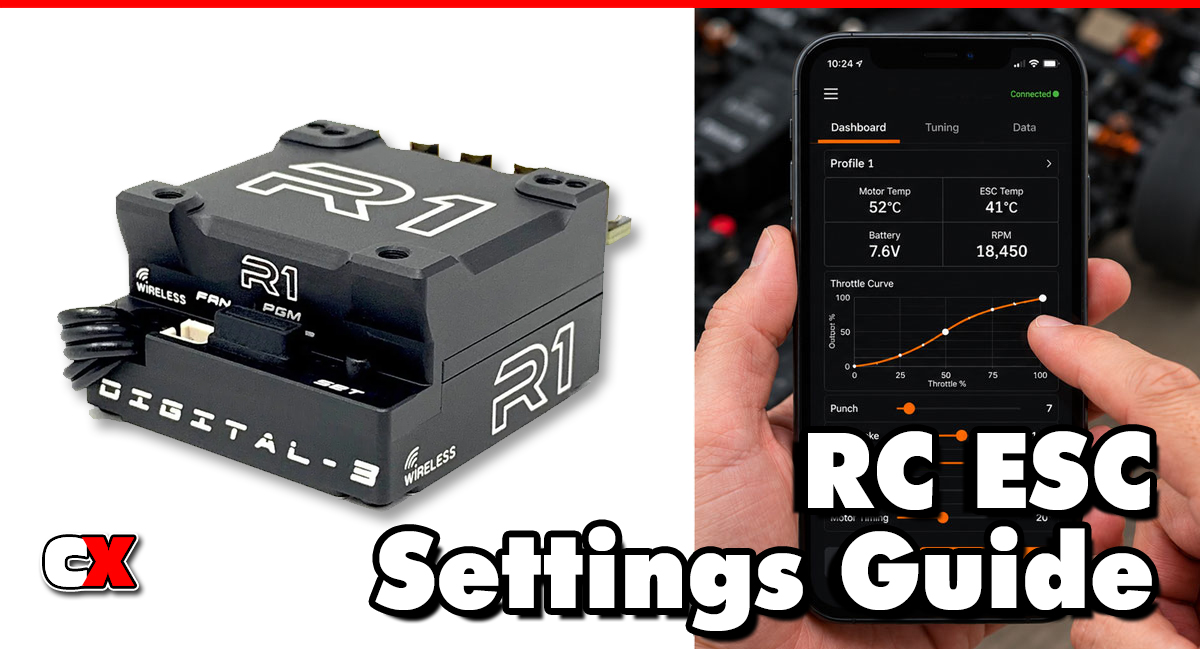
Blinky Mode is an ESC operating mode that disables all electronic timing advance features, including Boost Timing and Turbo Timing. When enabled, the ESC’s status LED typically flashes continuously, which is where the term “blinky” comes from.
In racing organizations around the world, Blinky Mode is often required for stock racing classes because it helps create a level playing field by limiting electronic performance enhancements.
When Blinky Mode is active:
• Boost Timing is disabled
• Turbo Timing is disabled
• Dynamic timing functions are disabled
• The ESC delivers power based solely on motor timing and gearing
• The ESC LED flashes continuously to indicate compliance
Many sanctioning bodies inspect vehicles before races and look for the flashing LED as proof that the ESC is operating in Blinky Mode.
How Does Blinky Mode Affect Your Car?
Reduced Top-End Power
The biggest change is a reduction in maximum RPM and top speed compared to modified timing modes. Since electronic timing advance is disabled, the motor operates only with its mechanical timing setting.
Smoother Power Delivery
Many drivers notice smoother throttle response because power increases linearly with throttle input instead of gaining additional timing at higher speeds.
More Consistent Performance
Without timing activation points and timing ramps, the car often feels more predictable from lap to lap.
Lower Motor Temperatures
Since the ESC is not advancing timing electronically, motor temperatures generally remain lower.
Benefits can include:
• Reduced motor wear
• Longer run times
• More consistent performance
• Improved reliability
Greater Importance on Setup
When electronic timing is removed, performance gains must come from:
• Gear ratio adjustments
• Motor selection
• Chassis setup
• Tire selection
• Driving technique
This is one reason many racers enjoy Blinky Mode classes.
How Do You Change Blinky Mode?
The exact process depends on the ESC manufacturer, but the steps are generally similar.
Step 1: Connect to ESC Programming
Use one of the following:
• ESC setup button
• Programming card
• Bluetooth module
• Computer software
Step 2: Locate Race Mode Settings
Navigate to settings such as:
• Running Mode
• Race Mode
• Zero Timing Mode
• Blinky Mode
Step 3: Enable Blinky Mode
Select the Blinky Mode option.
Most ESCs will automatically set:
• Boost Timing = 0°
• Turbo Timing = 0°
• Timing activation disabled
Step 4: Save Settings
Store the configuration and restart the ESC.
Step 5: Verify Operation
After powering on:
• The ESC LED should flash continuously.
• Programming software should indicate Boost and Turbo are disabled.
• The ESC should report compliance with zero-timing operation.
Always verify operation before arriving at the track.
When To Change Blinky Mode
Enable Blinky Mode When:
Racing Stock Classes
Many classes require Blinky Mode, including:
• 17.5 Touring Car
• 21.5 Touring Car
• 13.5 Buggy
• Spec classes
• Club racing stock divisions
Always check local rules.
Practicing for Blinky Racing
Practice with the same settings you will use during competition.
Learning Driving Technique
Since electronic timing cannot compensate for mistakes, Blinky Mode helps drivers develop smoother and more precise driving habits.
Disable Blinky Mode When:
Racing Modified Classes
Modified racing often allows:
• Boost Timing
• Turbo Timing
• Advanced timing profiles
Maximum Speed Is Needed
For speed runs or open-class racing, timing features can significantly increase RPM and top speed.
Experimenting With ESC Tuning
Advanced racers may disable Blinky Mode to test timing strategies and power delivery characteristics.
What to Check After Enabling Blinky Mode
After enabling Blinky Mode, inspect the following areas.
Motor Temperature
Although temperatures usually decrease, verify motor temperatures after a run.
Typical racing targets are:
• Under 160°F (71°C) for conservative setups
• Under 180°F (82°C) for aggressive setups
ESC Temperature
Confirm ESC temperatures remain within manufacturer recommendations.
Gear Ratio
Without electronic timing, some racers gear slightly more aggressively to recover lost speed. Monitor temperatures carefully after gearing changes.
Track Performance
Pay attention to:
• Corner exit speed
• Straightaway speed
• Throttle feel
• Lap consistency
Rule Compliance
Verify:
• Flashing LED is active
• Boost Timing is disabled
• Turbo Timing is disabled
• Class requirements are met
Many race officials perform spot checks during events.
Basic Blinky Mode vs Advanced Settings
Understanding the difference between Blinky Mode and advanced ESC timing modes can help racers choose the correct setup.
| Feature | Blinky Mode | Advanced Timing Modes |
|---|---|---|
| Boost Timing | Disabled | Adjustable |
| Turbo Timing | Disabled | Adjustable |
| Dynamic Timing | Disabled | Adjustable |
| LED Flashing | Yes | Usually no |
| Top Speed | Lower | Higher |
| Motor Temperature | Lower | Higher |
| Consistency | Very High | Depends on Setup |
| Race Legality for Stock Racing | Usually Required | Usually Illegal |
| Tuning Complexity | Simple | Advanced |
Basic Approach
Most club racers running stock classes should simply:
• Enable Blinky Mode
• Select proper gearing
• Focus on chassis setup
• Practice driving consistency
Advanced Approach
Modified-class racers may:
• Use Boost Timing
• Add Turbo Timing
• Adjust timing activation RPM
• Tune timing ramp rates
• Optimize motor timing with ESC timing
These adjustments can produce significantly more speed but require careful temperature monitoring.
FAQ
Q: Is Blinky Mode the same as Zero Timing?
A: In most modern ESCs, yes. Blinky Mode generally means all electronic timing functions are disabled, creating a zero-timing ESC setup.
Q: Why is it called Blinky Mode?
A: The ESC LED continuously flashes or “blinks” to indicate timing features are disabled and the ESC complies with stock-class regulations.
Q: Does Blinky Mode make my RC car slower?
A: Yes. Disabling Boost Timing and Turbo Timing reduces motor RPM and top speed compared to advanced timing modes.
Q: Does Blinky Mode improve battery life?
A: Often yes. Lower motor RPM and reduced timing advance can decrease power consumption and improve efficiency.
Q: Can I use Blinky Mode with any brushless motor?
A: Most sensored brushless racing motors can be used with Blinky Mode provided they meet class rules and ESC compatibility requirements.
Q: Does motor timing still work in Blinky Mode?
A: Yes. Mechanical motor timing remains active. Blinky Mode only disables ESC-generated timing advance.
Q: Is Blinky Mode required for all races?
A: No. Many stock classes require it, while modified classes typically allow timing features.
Q: Can race officials detect if Blinky Mode is enabled?
A: Yes. Officials often verify the flashing LED and may inspect ESC settings during technical inspection.
Back to the RC ESC Settings Guide.

