

RC ESC Acceleration (Punch) Explained
What Is Acceleration (Punch)?
Acceleration (aka Punch) is an ESC setting that controls how aggressively power is delivered from the battery to the motor when throttle is applied.
Think of Acceleration as a throttle response limiter. It does not reduce your vehicle’s maximum speed but, instead, controls how quickly the ESC allows the motor to reach the requested power level.
With a low Acceleration setting, power is delivered gradually. The car accelerates smoothly and is easier to control.
With a high Acceleration setting, power is delivered more aggressively. The car reacts instantly to throttle inputs and accelerates harder out of corners.
Different manufacturers may use different names for this feature, including:
• Punch
• Punch Control
• Start Power
• Initial Acceleration
• Launch Control
• Torque Control
• Drive Feel
Although the names vary, the goal remains the same: controlling how quickly power reaches the motor.
How Does Acceleration Affect Your Car?
Acceleration has a major impact on vehicle handling and drivability.
Higher Acceleration Setting
Increasing Acceleration provides:
• Faster throttle response
• Harder launches from a standstill
• Stronger acceleration out of corners
• More aggressive driving feel
• Increased wheel spin potential
However, excessive Acceleration can create problems:
• Tire spin
• Loss of traction
• Increased drivetrain stress
• Harder-to-drive vehicle
• Reduced consistency on low-grip surfaces
On high-grip tracks, additional Acceleration can help improve lap times by maximizing acceleration zones.
Lower Acceleration Setting
Reducing Acceleration provides:
• Smoother power delivery
• Better traction on slippery surfaces
• Easier vehicle control
• Reduced wheel spin
• Less drivetrain stress
The downside is that acceleration may feel sluggish or less responsive, especially on high-grip tracks where more aggressive power delivery can be beneficial.
How Do You Change Acceleration (Punch)?
The exact process depends on your ESC manufacturer, but the adjustment is typically found in one of three places:
ESC Programming Box
Many ESCs allow Acceleration adjustments through a dedicated programming box.
Examples include:
• Hobbywing programming boxes
• Spektrum Smart ESC programming tools
• Tekin HotWire systems
ESC Mobile App
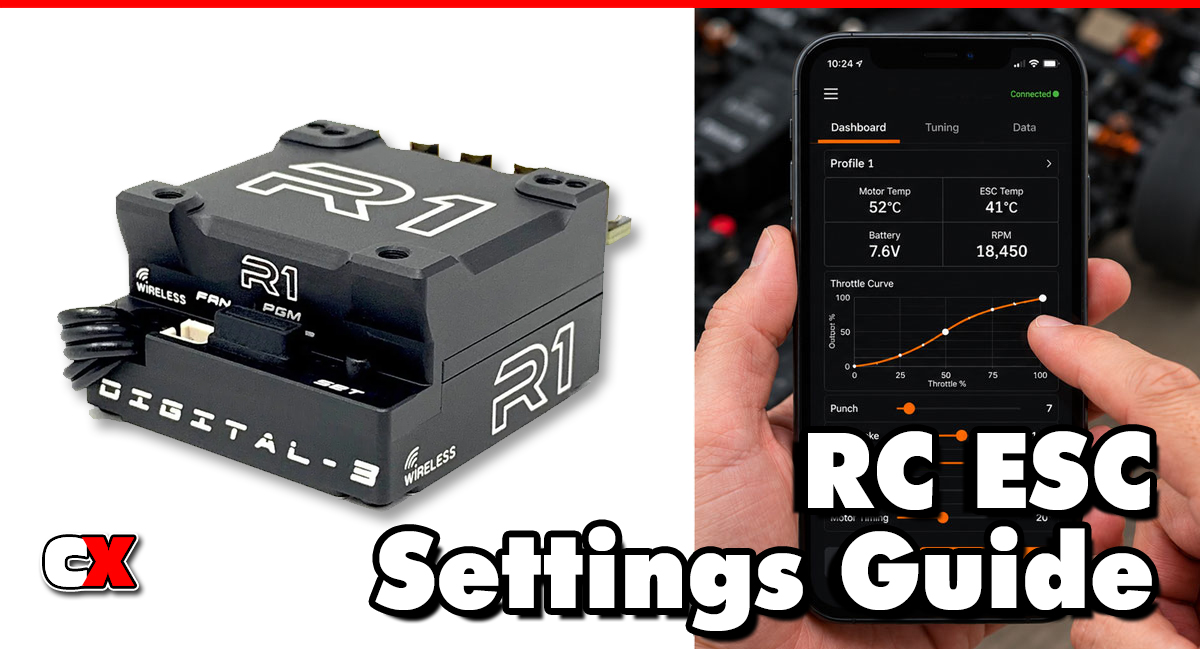
Some modern ESCs allow wireless adjustment through smartphone apps, like the R1Wurks Wireless Adapter. This provides quick access to settings and often includes visual graphs showing throttle response changes.
ESC Transmitter Programming
Certain ESCs can be programmed directly using throttle inputs and onboard LEDs. While effective, this method is usually slower than using a programming box or app.
Typical Adjustment Range
Most ESCs use a scale similar to:
| Setting | Effect |
|---|---|
| 1-3 | Very smooth power delivery |
| 4-6 | Balanced response |
| 7-9 | Aggressive acceleration |
| 10+ | Maximum acceleration and throttle response |
Always consult your ESC manual because adjustment scales vary between manufacturers.
When To Change Acceleration
There are several situations where adjusting Acceleration can improve performance.
Increase Acceleration When:
• Racing on high-grip carpet
• Running on prepared clay tracks
• The car feels lazy exiting corners
• You need more acceleration on long straights
• Tire traction is plentiful
Decrease Acceleration When:
• Running on dusty tracks
• Driving on loose dirt
• The rear tires spin excessively
• The vehicle becomes difficult to control
• The car fishtails during acceleration
Weather and Surface Changes
Track conditions change throughout the day.
• As grip increases: Increase Acceleration
• As grip decreases: Reduce Acceleration
Many racers adjust Acceleration several times during a race weekend.
What To Check After Adjusting Acceleration
After making changes, evaluate the following areas:
Traction
Watch for:
• Wheel spin
• Tire chatter
• Loss of rear grip
The goal is maximum forward drive without excessive slipping.
Corner Exit Performance
Observe how the car behaves when exiting corners.
Ask yourself:
• Can throttle be applied earlier?
• Does the rear end remain stable?
• Is acceleration smooth and predictable?
Motor Temperature
Aggressive Acceleration can increase motor load. Check motor temperatures after a run and ensure they remain within manufacturer recommendations.
ESC Temperature
Higher Acceleration settings can increase ESC workload. Monitor ESC temperatures and look for signs of overheating.
Drivetrain Wear
Inspect:
• Spur gears
• Pinion gears
• Differentials
• Driveshafts
• Slipper clutch components
Excessive Acceleration can increase wear on drivetrain parts.
Tuning Tips for Acceleration
High-Grip Carpet
• Start with medium-high settings
• Increase until wheel spin appears
• Back down slightly
Clay Tracks
• Use moderate settings
• Focus on smooth corner exits
Loose Dirt
• Reduce Acceleration
• Prioritize traction over raw power
Parking Lot Bashing
• Use moderate settings
• Balance speed and drivability
Powerful 4WD Vehicles
• Can typically tolerate more Acceleration
Lightweight 2WD Vehicles
• Often require lower Acceleration to maintain traction
Basic Acceleration (Punch) vs Advanced Settings
Understanding the difference between basic and advanced adjustments can help prevent confusion.
Basic Acceleration
Basic Acceleration adjusts overall throttle aggressiveness.
Typical uses include:
• Making the car easier to drive
• Reducing wheel spin
• Increasing launch performance
• Adapting to track grip levels
Most drivers only need this setting.
Advanced Acceleration Settings
Higher-end ESCs may provide additional controls such as:
Initial Punch
Controls the first moment of throttle application. Useful for tuning corner exit traction.
Torque Limit
Limits motor torque during acceleration. Common in stock racing classes.
Throttle Rate
Controls how quickly power ramps up after throttle input.
Drive Frequency
Changes the feel of power delivery and can influence how Acceleration behaves.
Launch Profiles
Allows multiple Acceleration curves for different track conditions.
Advanced racers often combine several of these settings to fine-tune acceleration characteristics.
FAQ
Q: Does Acceleration (Punch) increase top speed?
A: No. Acceleration only affects how quickly power is delivered. Top speed remains unchanged.
Q: Can too much Acceleration make my car slower?
A: Yes. Excessive wheel spin wastes traction and can reduce acceleration, especially on low-grip surfaces.
Q: Is higher Acceleration always better?
A: No. The fastest setting is usually the highest amount of Acceleration that still allows the tires to maintain traction.
Q: Should beginners use high or low Acceleration?
A: Most beginners benefit from lower Acceleration settings because the car becomes easier to control.
Q: Does Acceleration (Punch) affect battery life?
A: Higher Acceleration can increase current draw and may slightly reduce runtime.
Q: Does Acceleration affect motor temperature?
A: Yes. More aggressive settings can increase motor temperatures due to higher current demands.
Q: Is Acceleration the same as Throttle Curve?
A: No. Acceleration controls how aggressively power is delivered. Throttle Curve changes how throttle input relates to motor output throughout the trigger’s travel.
Many racers tune both settings together.
Back to the RC ESC Settings Guide.

