
RC ESC Neutral Range (Dead Band) Explained
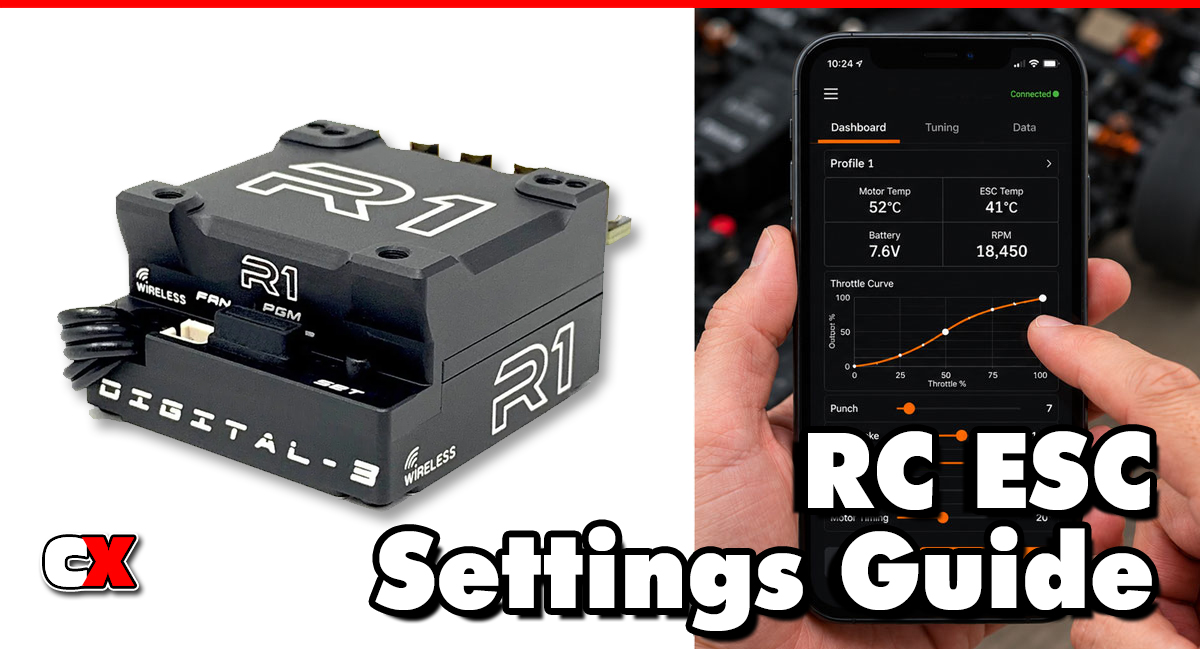
What Is Neutral Range (Dead Band)?
Neutral Range (aka Dead Band) is the area around the transmitter trigger’s neutral position where the ESC ignores input signals.
In simple terms, when the throttle trigger is centered, the ESC creates a small buffer zone. Minor trigger movements within this zone do not activate throttle or braking functions.
For example:
• A narrow Neutral Range responds almost immediately to trigger movement.
• A wide Neutral Range requires more trigger movement before the ESC applies throttle or brake.
This helps prevent unwanted motor activation caused by small transmitter inconsistencies, hand movements or radio signal variations.
Many ESCs express Neutral Range as a percentage or numerical value, often ranging from approximately 2% to 10%.
How Does Neutral Range Affect Your Car?
The size of the Neutral Range directly affects vehicle responsiveness and control.
Smaller Neutral Range
A smaller setting makes the car feel more responsive.
Benefits include:
• Faster throttle engagement
• Quicker brake response
• Improved precision for experienced drivers
• Better reaction times on technical tracks
Potential drawbacks:
• Can feel twitchy
• Easier to accidentally apply throttle or brake
• More sensitive to transmitter trigger movement
A narrow Neutral Range is often preferred by competitive racers who demand maximum responsiveness.
Larger Neutral Range
A larger setting creates a larger buffer around neutral.
Benefits include:
• Smoother driving feel
• Reduced accidental throttle inputs
• More forgiving trigger control
• Easier driving for beginners
Potential drawbacks:
• Delayed throttle response
• Slower brake engagement
• Reduced precision in competitive situations
A wider Neutral Range is commonly used by beginners, bashers and drivers who prefer smoother vehicle behavior.
How Do You Change Neutral Range?
The exact procedure depends on your ESC manufacturer.
Most programmable ESCs allow adjustment through:
• ESC programming cards
• LCD programming modules
• Smartphone apps
• Computer software
• Transmitter programming interfaces
Typical steps include:
Step 1: Access ESC Programming
Enter the ESC’s programming menu using the method recommended by the manufacturer.
Step 2: Locate Neutral Range
Look for settings such as:
• Neutral Range
• Dead Band
• Throttle Dead Band
• Neutral Width
Different manufacturers may use slightly different terminology.
Step 3: Adjust the Setting
Select the desired value.
Common examples include:
2-4% – Very responsive
5-7% – Balanced
8-10% – Smooth and forgiving
Step 4: Save the Settings
Store the new value and restart the ESC if necessary.
Step 5: Test Drive
Evaluate throttle and brake feel before making additional changes.
When To Change Neutral Range
Adjust Neutral Range when you experience any of the following:
The Car Feels Too Sensitive
If small trigger movements cause unintended acceleration or braking, increase the setting slightly.
The Car Feels Delayed
If throttle response feels sluggish around neutral, reduce the setting.
Changing Radio Systems
Different transmitters may have slightly different trigger characteristics. Adjusting Neutral Range can help optimize compatibility.
After Replacing Electronics
New ESCs, receivers or radios may require a different setting than your previous equipment.
Improving Driver Comfort
Some drivers simply prefer smoother response, while others want immediate reaction. This setting allows you to tailor the vehicle to your driving style.
What To Check After Adjusting Neutral Range
After making changes, inspect the following areas.
Throttle Response
Ensure the motor engages smoothly without hesitation.
Brake Response
Verify brakes activate consistently and predictably.
Vehicle Stability
Watch for accidental throttle inputs while driving over bumps or rough terrain.
Trigger Feel
Make sure the trigger movement feels natural and comfortable.
ESC Calibration
If the vehicle behaves unexpectedly, recalibrate the ESC to the transmitter.
Motor Temperature
Although Neutral Range typically does not affect temperatures directly, always verify normal operating temperatures after major ESC setup changes.
Basic Neutral Range vs Advanced Settings
Many ESCs provide a simple Neutral Range adjustment, while higher-end racing ESCs offer more advanced options.
| Basic Neutral Band | Advanced Settings |
|---|---|
| Single adjustment value | Multiple throttle and brake dead bands |
| Beginner-friendly | Fine tuning for racing |
| Focuses on overall responsiveness | Separate throttle and brake sensitivity control |
| Quick setup | Detailed customization |
| Common on RTR ESCs | Common on competition ESCs |
Advanced ESCs may allow separate adjustments for:
• Throttle Dead Band
• Brake Dead Band
• Initial Throttle Force
• Brake Rate Control
• Throttle Curve
• Brake Curve
These settings work together to fine-tune vehicle response.
FAQ
Q: What is the best Neutral Range (Dead Band) setting?
A: There is no universal best setting. Most drivers start with the factory default and adjust based on driving style and track conditions.
Q: Does Neutral Range affect top speed?
A: No. Neutral Range only affects how quickly throttle or brake commands begin near neutral. It does not change maximum speed.
Q: Does Neutral Range affect acceleration?
A: Not really. A smaller setting makes acceleration begin sooner, making the car feel more responsive.
Q: Should beginners use a larger Neutral Range?
A: In many cases, yes. A larger setting can make the vehicle easier to control and reduce accidental inputs.
Q: Do racers use small Neutral Range settings?
A: Most competitive racers prefer smaller settings because they provide faster throttle and brake response.
Q: Can Neutral Range cause throttle lag?
A: If set excessively large, it can create a noticeable delay before throttle or brake engagement.
Q: Is Neutral Range the same as Expo?
A: No. Neutral Range ignores input around neutral, while Expo changes how aggressively response increases as trigger movement increases.
Q: Should I recalibrate my ESC after changing Neutral Range?
A: It is usually not required, but recalibration can help ensure optimal throttle and brake accuracy if unexpected behavior occurs.
Back to the RC ESC Settings Guide.

