

RC ESC Forward / Brake / Reverse Mode Explained
What Is Forward / Brake / Reverse Mode?
Forward / Brake / Reverse Mode is an ESC operating mode that allows the vehicle to drive forward, apply braking and engage reverse when commanded through the transmitter.
Most ESCs offer multiple drive modes, including:
• Forward Only (rarely used, if ever)
• Forward / Brake
• Forward / Brake / Reverse Mode
When Forward / Brake / Reverse Mode is enabled, pulling the trigger into the brake position first applies braking force. After the vehicle stops, applying brake input again activates reverse.
Many ESC manufacturers include a reverse delay or double-tap requirement to prevent accidental reverse engagement while driving at speed.
Typical Operation
1. Pull trigger for forward movement.
2. Push trigger forward for braking.
3. Return trigger to neutral.
4. Push trigger forward again to engage reverse.
The exact sequence varies slightly depending on ESC brand and programming.
How Does Forward / Brake / Reverse Mode Affect Your Car?
Forward / Brake / Reverse Mode affects vehicle behavior, drivability and safety.
Increased Vehicle Versatility
Reverse allows you to recover from obstacles, tight corners, crashes or rollovers without walking to retrieve the vehicle.
This is especially useful for:
• Rock crawlers
• Trail trucks
• Monster trucks
• Backyard bashers
• Scale vehicles
Reduced Race Suitability
Most organized racing classes prohibit reverse operation during competition. Because of this, racers typically select Forward / Brake mode instead.
Additional ESC Processing
When reverse is enabled, the ESC must determine when braking ends and reverse begins.
This usually introduces:
• Reverse activation delays
• Double-push requirements
• Safety lockouts
These features help prevent drivetrain damage.
Improved Recovery Capability
If the vehicle becomes stuck against an obstacle, reverse can help free it without physical intervention. This is one reason crawlers almost always use Forward / Brake / Reverse Mode.
Potential for Accidental Reverse
Drivers unfamiliar with the system may accidentally engage reverse after braking.
This can occur when:
• Landing jumps
• Recovering from spins
• Making emergency stops
Fortunately, most ESCs include built-in safeguards.
How Do You Change Forward / Brake / Reverse Mode?
The exact process depends on the ESC manufacturer.
ESC Programming Card
Many modern ESCs use a programming card.
1. Connect the ESC to the programming card.
2. Power on the ESC.
3. Locate the drive mode setting.
4. Select your mode – Forward / Brake or Forward / Brake / Reverse.
5. Save the settings.
This is the fastest and easiest method.
ESC Smartphone Apps
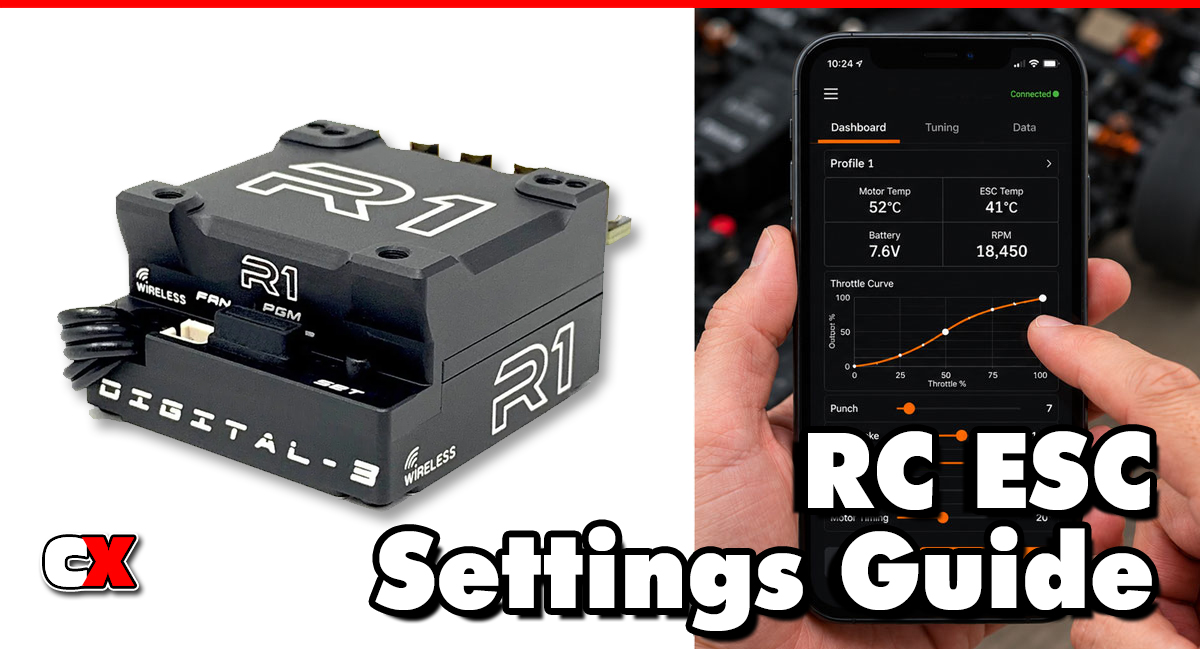
Some premium ESCs offer Bluetooth programming.
1. Connect to the ESC through the manufacturer’s app.
2. Open drive mode settings.
3. Select your mode – Forward / Brake or Forward / Brake / Reverse.
4. Save the changes.
Radio-Based Programming
Certain ESCs allow programming through throttle trigger inputs.
1. Enter programming mode.
2. Navigate to running mode settings.
3. Select your mode – Forward / Brake or Forward / Brake / Reverse.
4. Save and exit.
Always consult your ESC manual for exact instructions.
When To Change Forward / Brake / Reverse Mode
Changing Forward / Brake / Reverse Mode depends on how and where you drive.
Enable Forward / Brake / Reverse Mode When:
Driving Rock Crawlers
Reverse is essential for obstacle recovery and precise crawling maneuvers.
Bashing
Reverse makes it easier to recover from crashes, rollovers and missed jumps.
Trail Running
Scale trail trucks benefit greatly from reverse capability when navigating tight terrain.
Training New Drivers
Beginners often find reverse useful when learning vehicle control.
Disable Forward / Brake / Reverse Mode When:
Racing
Almost all race classes do not permit reverse operation.
Maximizing Simplicity
Forward-only operation removes the possibility of accidental reverse engagement.
Fine-Tuning Race Performance
Many racers prefer the immediate brake response provided by Forward / Brake mode.
What to Check After Adjusting Forward / Brake / Reverse Mode
After changing Forward / Brake / Reverse Mode, perform several checks before driving.
Verify Brake Function
Confirm the vehicle applies brakes before engaging reverse. Unexpected behavior may indicate incorrect programming.
Check Reverse Activation
Ensure reverse engages properly after the required delay or second brake input.
Test Throttle Calibration
Some ESCs may require recalibration after changing operating modes.
Verify:
• Full throttle
• Full brake
• Neutral position
…are recognized correctly.
Inspect Drivetrain Operation
Watch for:
• Gear grinding
• Sudden reverse engagement
• Harsh drivetrain shocks
Smooth transitions indicate proper setup.
Confirm Class Legality
If racing, verify that reverse is allowed by your club or sanctioning body before using the vehicle. Reversing on track (on purpose or accident) can drive your car into traffic and cause a bad crash.
Basic Forward / Brake / Reverse Mode vs Advanced Settings
Many drivers simply enable or disable Forward / Brake / Reverse Mode, but advanced ESCs often provide additional reverse-related adjustments.
| Basic Settings | Advanced Settings |
|---|---|
| Enable or disable reverse | Reverse force percentage |
| Standard reverse operation | Reverse speed limit |
| Factory safety delay | Reverse activation delay |
| Single operating mode | Multiple drive profiles |
| Default braking behavior | Independent brake and reverse tuning |
Beginner Recommendation
For beginners and casual drivers:
• Enable Forward / Brake / Reverse Mode
• Use factory reverse force settings
• Leave reverse delay at default
Advanced Recommendation
Experienced drivers may adjust:
• Reverse speed
• Reverse power
• Reverse activation timing
• Brake-to-reverse transition behavior
These settings can improve vehicle control for specific applications such as crawling or trail driving.
FAQ
Q: Is Forward / Brake / Reverse Mode bad for racing?
A: Not necessarily, but most racing organizations prohibit reverse operation during competition. Racers usually select Forward / Brake mode.
Q: Does Forward / Brake / Reverse Mode make my car slower?
A: No. Top speed and acceleration are not affected. The setting only changes how the ESC responds when braking and reversing.
Q: Why won’t my car go into reverse immediately?
A: Most ESCs use a safety delay or require a second brake input before activating reverse. This prevents accidental reverse engagement at high speeds.
Q: Should crawlers use Forward / Brake / Reverse Mode?
A: Yes. Nearly all rock crawlers and trail trucks benefit from having reverse available.
Q: Can reverse damage my drivetrain?
A: Not when used properly. However, repeatedly shifting from full forward to full reverse without stopping can increase wear on gears, driveshafts and differentials.
Q: Why does my ESC have multiple running modes?
A: Different vehicles require different control characteristics. Racing vehicles often use Forward / Brake while bashers and crawlers commonly use Forward / Brake / Reverse Mode.
Q: Does Forward / Brake / Reverse Mode affect Drag Brake?
A: No. Drag Brake is a separate ESC setting that controls braking force when the throttle returns to neutral.
Back to the RC ESC Settings Guide.

