

RC Radio Dual Rate Explained
What Is Dual Rate?
Dual Rate is a radio setting that changes the total amount of servo movement available on a specific channel. In RC cars, Dual Rate is most commonly used on the steering channel, although some radio systems also allow Dual Rate adjustments for throttle and braking.
Think of Dual Rate as a way to electronically limit or increase how far a servo can move without changing the mechanical setup of the car. Instead of adjusting steering throw directly at the linkage (or changing EPA settings), Dual Rate lets you quickly tune how aggressive or calm the vehicle feels from the transmitter.
For example:
• Higher Steering Dual Rate = more steering angle and a more aggressive response
• Lower Steering Dual Rate = less steering angle and a smoother, easier-to-drive feel
Most modern radios display Dual Rate as a percentage. A setting of 100% usually represents the maximum available steering throw based on your endpoint settings. Lowering the percentage reduces available movement.
Dual Rate is one of the most commonly used tuning tools because it allows fast adjustments for changing track conditions, vehicle types and driver preferences.
Note, however, that while changing the D/R on the throttle will soften the acceleration, it will also reduce overall top speed. That being said, it’s usually not advised to change throttle D/R.
How Does Dual Rate Affect Your Car?
Steering Response
The biggest effect of Dual Rate is how responsive the steering feels.
Higher Dual Rate
Increasing Dual Rate allows the wheels to turn farther. This creates:
• Faster steering response
• More aggressive corner entry
• Tighter turning radius
• Increased front grip sensation
However, too much Dual Rate can make the car:
• Twitchy
• Difficult to drive consistently
• More likely to traction roll
• More prone to spinning out
High Dual Rate settings are often useful on:
• Tight tracks
• Technical layouts
• Low-speed courses
• Crawlers requiring maximum steering angle
Lower Dual Rate
Reducing Dual Rate limits steering throw and softens steering feel.
Benefits include:
• Smoother steering response
• Easier control at high speed
• Better stability
• Reduced overcorrection
• More confidence on rough tracks
Too little Dual Rate can cause:
• Slow steering response
• Understeer
• Difficulty rotating through corners
• Large turning radius
Lower Dual Rate settings are commonly used for:
• High-speed tracks
• Large outdoor layouts
• Speed run vehicles
• Loose surfaces
• Beginner drivers
Throttle Dual Rate
Some radios support Throttle Dual Rate. This limits how aggressively throttle input is applied.
Higher Throttle Dual Rate:
• Faster acceleration
• More wheelspin potential
• More aggressive power delivery
Lower Throttle Dual Rate:
• Smoother acceleration
• Easier traction control
• Better drivability on slippery surfaces
• Lower overall top speed
Throttle Dual Rate is especially useful for:
• High-power brushless systems
• Crawlers
• Drag cars
• Low-grip tracks
• Beginner drivers
How Do You Change Dual Rate?
Using Your Radio System
Most modern RC transmitters include a dedicated Dual Rate menu or physical adjustment dial.
Common locations include:
• D/R menu
• Steering menu
• Function menu
• Adjustable knobs or switches on the radio
The exact process depends on your radio brand, but the general steps are similar.
Adjusting Steering Dual Rate
Step 1: Open the Steering Menu
Navigate to the steering settings in your transmitter.
Look for:
• Dual Rate
• D/R
• ST D/R
Step 2: Adjust the Percentage
Typical starting points:
• Touring Car: 65-85%
• Off-Road Buggy: 70-90%
• Drift Car: 90-100%
• Rock Crawler: 100%
• Speed Run Car: 40-70%
Lower percentages reduce steering movement, higher percentages increase steering movement.
Step 3: Test the Car
Drive several laps and evaluate:
• Corner entry
• Mid-corner stability
• Steering aggressiveness
• High-speed confidence
Make small changes in 2-5% increments.
Adjusting Throttle Dual Rate
Navigate to:
• TH D/R
• Throttle settings
• Trigger settings
Lower values soften acceleration and lower top speed, higher values increase throttle sensitivity and output feel.
When To Change Dual Rate
Increase Dual Rate When:
• The car feels lazy entering corners
• Steering response is too slow
• The track is tight and technical
• You need more rotation
• The car struggles with hairpins
• You want a more aggressive feel
Decrease Dual Rate When:
• The car feels twitchy
• The rear end becomes unstable
• You are overcorrecting often
• The vehicle traction rolls
• The car spins easily at high speed
• The track is fast and flowing
What to Check After Changing Dual Rate
Changing Dual Rate affects the entire handling balance of the car. After making adjustments, check the following:
Steering Endpoints
Make sure the steering servo is not binding at full lock. Too much steering movement can:
• Damage the servo
• Stress steering components
• Overload the servo saver
Servo Temperature
Excessive steering throw may overwork the servo. After a run:
• Check servo temperature
• Listen for buzzing or binding
• Inspect for excessive strain
Tire Wear
More aggressive steering can increase front tire wear. Watch for:
• Uneven or excessive edge wear
• Increased tire overheating
Suspension Balance
If the car suddenly becomes twitchy after increasing Dual Rate, check:
• Camber
• Toe settings
• Ackermann
• Ride Height
• Front spring stiffness
Sometimes the suspension setup cannot support aggressive steering settings.
Driver Input
Many drivers mistakenly increase Dual Rate when smoother trigger or wheel control would solve the problem. Evaluate:
• Steering smoothness
• Overdriving
• Corner approach speed
Sometimes less steering produces faster lap times.
Basic Dual Rate vs Advanced Settings
Basic Dual Rate Settings
Basic Dual Rate adjustments involve using a single percentage across all driving conditions.
Typical beginner approach:
• Set Steering Dual Rate
• Test drive
• Adjust until comfortable
This method works well for:
• Casual driving
• Beginner racers
• Bashing
• Parking lot driving
Basic tuning focuses on making the car easier to drive consistently.
Advanced Dual Rate Settings
Advanced users often combine Dual Rate with:
• Exponential
• Endpoint Adjustment
• Speed-sensitive steering
• Model memory tuning
• Surface-specific profiles
Advanced racers may:
• Lower Dual Rate for high-speed sections
• Increase Dual Rate for technical layouts
• Use different settings for qualifying and mains
• Create separate transmitter profiles for different tracks
Dual Rate vs Exponential
These two settings are commonly confused.
Dual Rate
Changes total steering movement.
Exponential
Changes steering sensitivity around initial center movement.
Both settings work together to shape steering behavior.
Common Dual Rate Starting Points
| Vehicle Type | Suggested Steering D/R |
|---|---|
| 2WD Buggy | 75-85% |
| 4WD Buggy | 70-85% |
| Short Course Truck | 75-90% |
| Touring Car | 65-85% |
| Drift Car | 90-100% |
| Rock Crawler | 100% |
| Speed Run Car | 40-70% |
| Monster Truck | 70-90% |
These are only starting points. Final settings depend on:
• Driver preference
• Track size
• Grip level
• Servo speed
• Steering geometry
FAQ
Q: Is Dual Rate the same as EPA?
A: No. Dual Rate changes overall steering sensitivity and available movement during driving. EPA (Endpoint Adjustment) limits maximum servo travel to prevent binding or mechanical damage.
Q: Does Dual Rate affect steering speed?
A: Indirectly, yes. Higher Dual Rate allows more steering angle, which can make the car feel faster and more aggressive.
Q: Should beginners use low Dual Rate?
A: Usually yes. Lower Steering Dual Rate often makes the car easier to control and less twitchy. It can always be turned up as your skills progress.
Q: Can too much Dual Rate hurt performance?
A: Absolutely. Excessive Steering Dual Rate can make the car unstable, unpredictable and difficult to drive consistently.
Q: What is a good starting Steering Dual Rate?
A: Most RC vehicles work well between 70-85% as a starting point.
Q: Should I change Dual Rate or Exponential first?
A: Start with Dual Rate first to establish total steering throw. Then fine-tune steering feel using Exponential.
Q: Why does my car traction roll after increasing Dual Rate?
A: Too much steering angle can overload the front tires and cause the chassis to roll aggressively, especially on high-grip surfaces.
Q: Is higher Dual Rate always better for tight tracks?
A: Not always. Too much steering can make the car unstable and harder to drive smoothly.
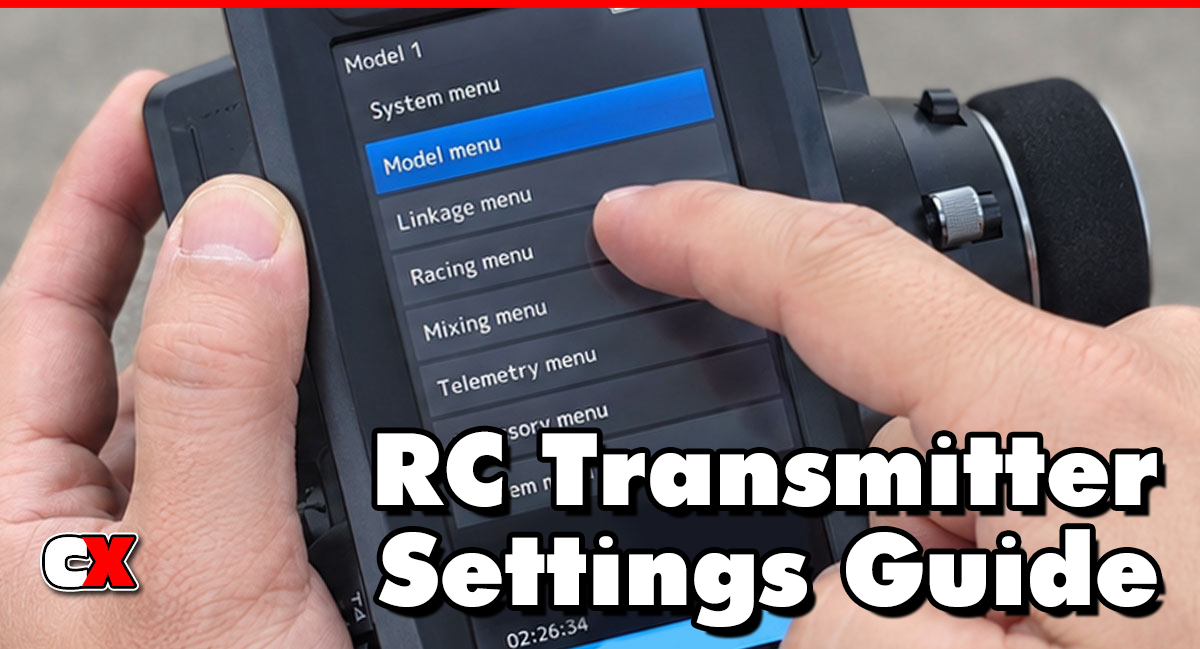
Back to the RC Transmitter Settings Guide.

